Published March 5, 2016
It's been a few weeks since a set a AAAA record for my domain name and allow IPv6 to visit my website. Same with SSL and Let's Encrypt. Today I switched from Apache 2 to Nginx and enabled HTTP/2.0 on my server.
IPv6
I'm the co-founder of Quantic Telecom, an operator and ISP for student in Rouen, France and I can tell you, IPv4 is dead! We really need IPv6, and not 3 years from now, today! So, change your VPS provider if you don't have an IPv6, set your AAAA DNS records and listen it:
listen [::]:443;

HTTPS everywhere
Generate certificates
With Let's Encrypt, certificates are now free for everyone. So no excuse, just set up HTTPS (and HTTPS only). I first use the Let's Encrypt Python script but today I switch to an unofficial bash implementation of the free (as in free speech) Let's Encrypt protocol: Neilpang/le. If you want to set up HTTPS on your server, just type:
# reset terminal
Use them with Nginx

;
;
;
Secure SSL
;
;
;
# HSTS
;
Why did I switch from Apache?
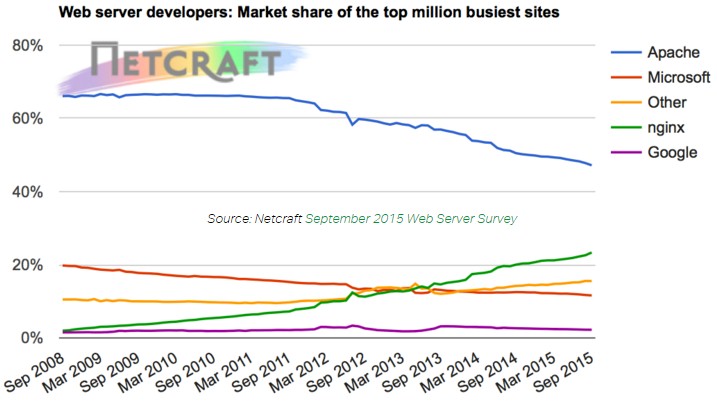
The length of the configuration files are similar but I prefer the Nginx JSON-like syntax over Apache XML. I'm sure there is a lot of errors in my configuration files (I'm new to Nginx) so, if you find something to change, please ping me on Twitter.
# /etc/nginx/conf.d/default.conf
# /etc/nginx/conf.d/default-ssl.conf
To use this config file, you need to generate a stronger DHE parameter (it's gonna take a while ^^):
But then you should get an A+ on every existing SSL test!
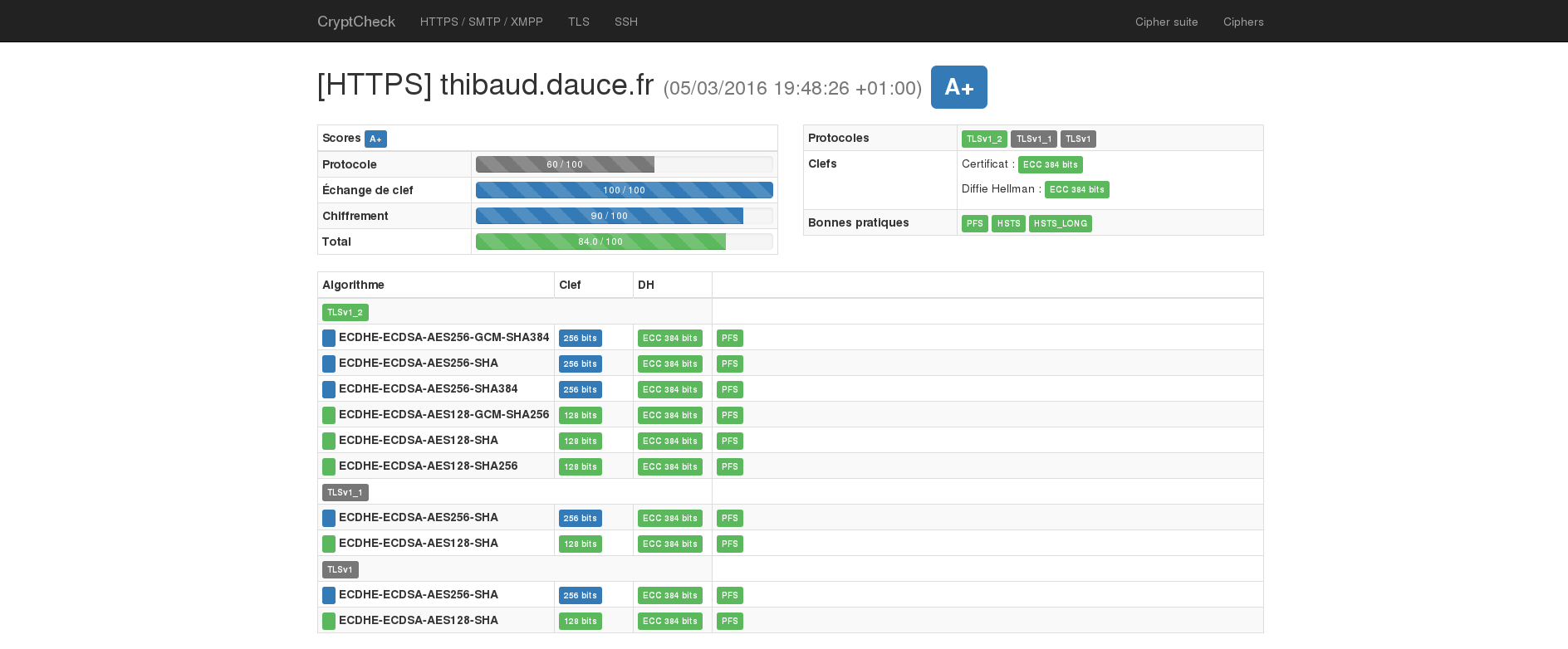
HTTP/2.0
As you can see in the previous config files, I simply add http2 at the end of my listen line. It's really just that with Nginx 1.9. If you run a Debian 8 as I do, add these deb repositories to get the last version:
# /etc/apt/sources.list.d/nginx.list
And then:
IPv6, HTTPS & HTTP/2.0
Welcome 2016!
Thanks Aeris for your help, check his french blog post about SSL security.